| [an error occurred while processing this directive] |
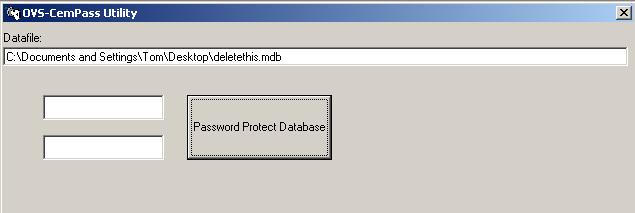
HelpPassword Protecting The DataThis CemEditor utility makes a copy and password protects your final database file so that only you or the CemViewer can open this file. It does not alter your existing database. Using the UtilityTo start the utility click on the CemEditor "Final Steps - Data Protection" Tab, then click on "Password Protect Database"
The following screen should display:
This utility also creates your "Starter.BOX" file which is distributed with your published CD. The Starter.box file only contains the database name for the CemViewer. Clicking on the Starter.Box file will automatically open the database in the CemViewer. You may also edit this file with a text editor like Notepad or Wordpad. |