| [an error occurred while processing this directive] |
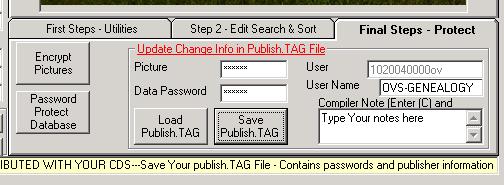
HelpFinal Steps - Creating the PUBLISH.TAG FileNOTE: This step is no longer necessary when using version 2 and above. CemToCD will create the necessary files and place them in a distribution folder which can then be copied to a CD or DVD. Also see Final Steps. In the lower right of the CemEditor Screen click on the "Final Steps - Protect" Tab.
Encrypt and protext the pictures and data. To create the Publish.Tag file:
Your files are now ready to test and publish to a CD. |